Luz-Info.com

Choice: Bookmark this site.

Tip: Click on the Algarve text above to hide this side menu or the Algarve text to show this side menu.

Tip: Double click anywhere on the page (except when over links) to return to the top of the page.

Choice: Resize the main text using these buttons.
Larger Text size  Smaller Text size

Tip: Widescreen users can change the browser size to suit this website.
      800 x 600
 1024 x 760 ( best )
     1280 x 1024

Choice: 

Tip: For these tips in more detail click on the icon at the top right of any page.


Various Maps of Praia da Luz & The Algarve

Close HelpGeneral Page Help
Most of the  presentation enhancements on this site are managed by javascript. Whilst it isn't essential to enable javascript in order to view the site, it will ( I think ) greatly improve your viewing experience, e.g. image borders, collapsing menus etc.
Any controls referred to below are accessible from the left column ( below the menu ) providing the column is visible ( see first item below ).
  • Showing / Hiding the Main Menu
    Click on the 'Algarve' text ( in red ) to hide the ( Side ) Main Menu
    Click on the 'Algarve' text ( in blue ) to reveal the ( Side ) Main Menu 
  • Navigation:
    Double Mouse Click anywhere on the page ( except when over the menus or other links ) to return to the top of the page.
  • Links:
    Links to other pages are shown in blue capitals
    Where there is a Google Map on the page the location of the topic can be found by clicking the coloured marker ( balloon ) to the right of the information.
  • Managing Links
    Check the box in the left hand column if you would like all links ( external to this site ) to be opened in a new window ( Default=checked ). Clear the check box and any link selected will replace this page. This option will continue to function on any subsequent page opened unless you un-check the box on any of the pages.
  • Photographs:
    Click on any thumbnail sized photographs for larger images.
    Some of the larger images may be expanded even further, look for the icon at the top, left corner of the expanded image.)
    Click anywhere on the larger image to close it and return to the thumbnail view / page.
  • Browser Window Size:
    This Site is best viewed at a browser window size of 1024 x 768 ( i.e., not really suited to widescreen displays )
    If you wish you can resize THIS browser window to one of the following sizes using the controls in left column: 800 x 600 ( surely not ) or 1024 x 760 or 1280 x 1024 which will maintain the 'standard page' layout on a widescreen display. Please note this is a very temperamental control and may not always function correctly.
  • Text Sizing:
    You can adjust the size of the main body of text here by using the Larger Text or Smaller Text buttons where shown on the page. Any changes are not permanent and do not carry forward to subsequent pages viewed.
  • Search the Site
    Use the link in the left column to perform a Google Search for any word / topic on this site.
  • Bookmark the Site
    Use the link in the left column to save a bookmark for this site in your favourites.
A few maps and links to maps of Luz, Lagos and the Algarve you may find useful.
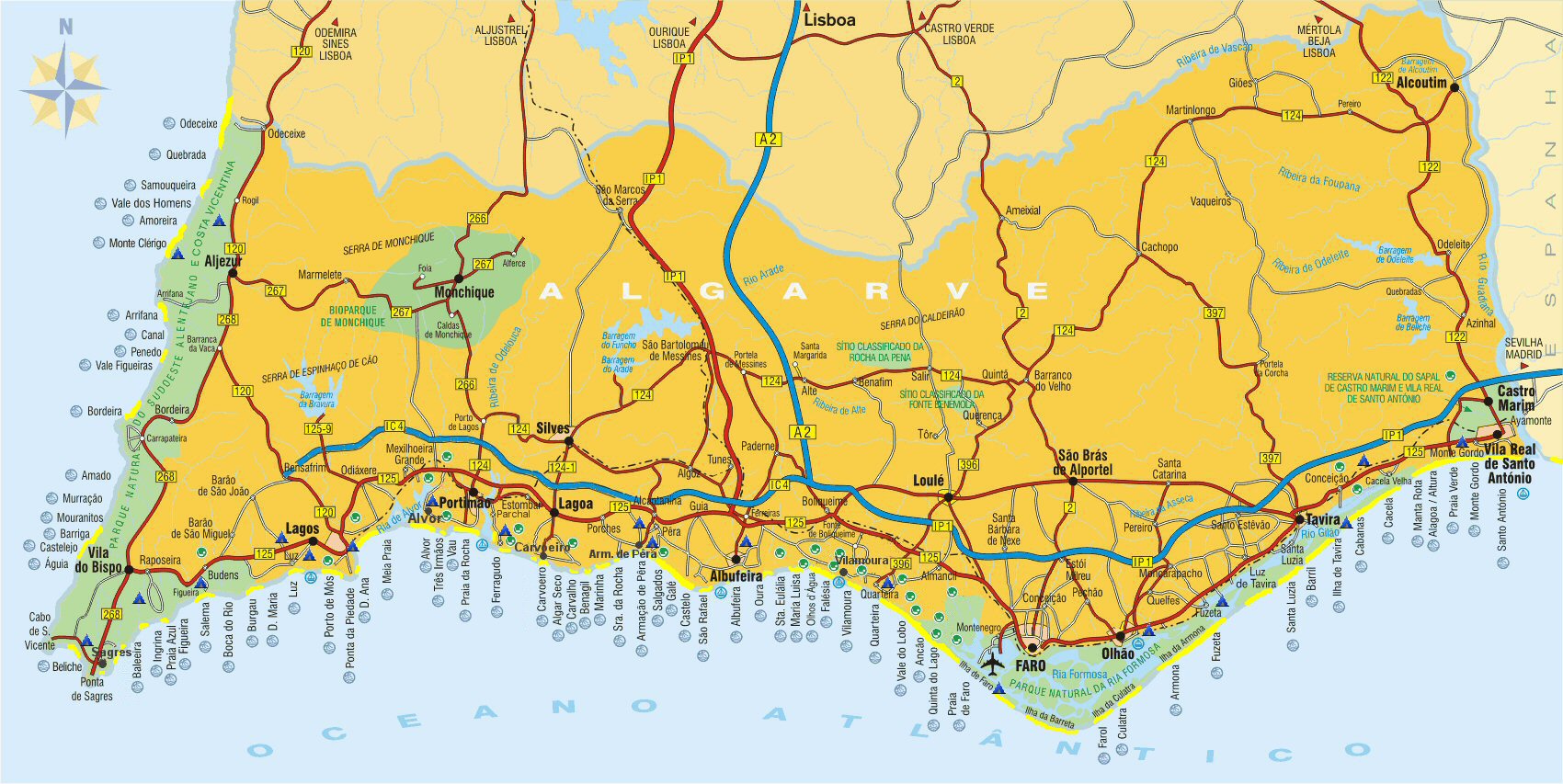
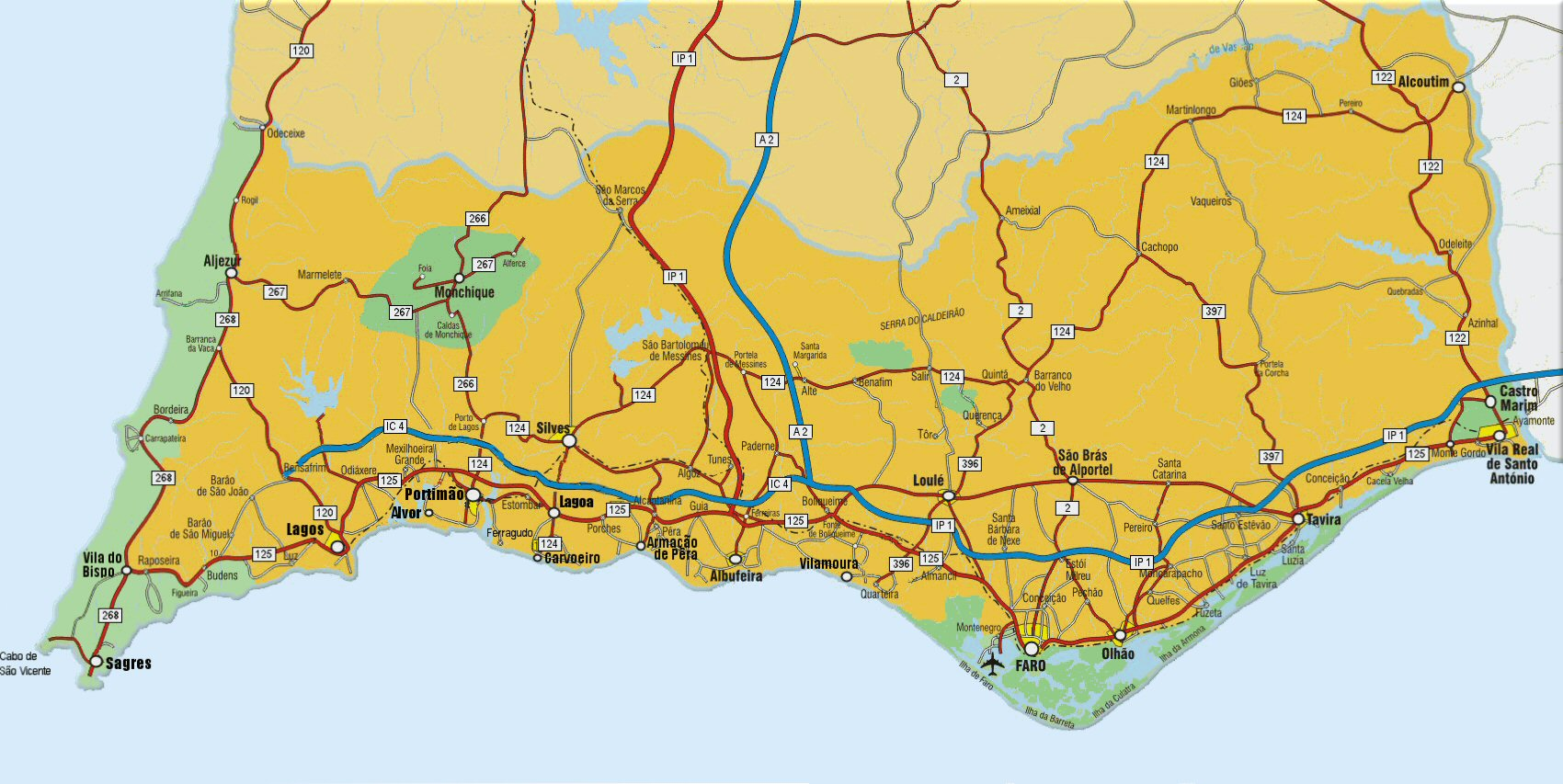
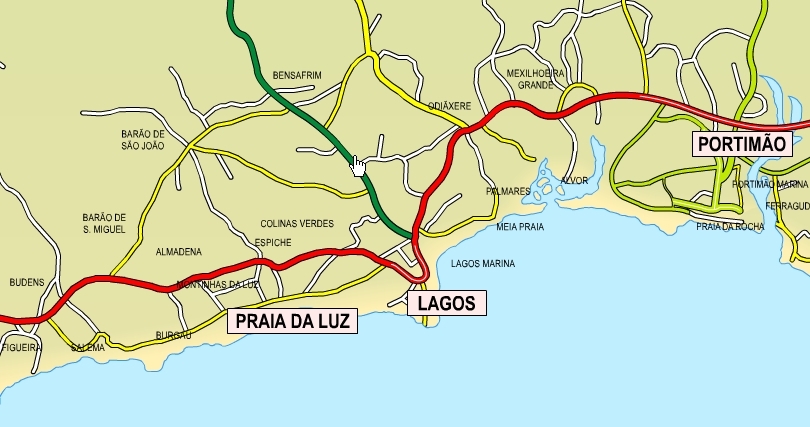
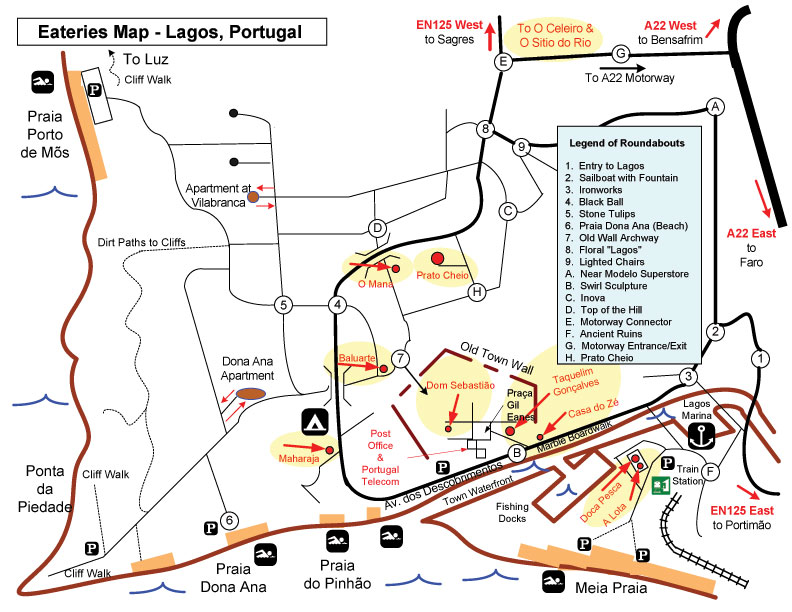
Don't forget to pick up a 'freemap' whist visiting the Algarve. They cover most major towns and are available most everywhere. Invaluable! The recent addition of the searchable Google Map is a bit of an experiment at the moment, so sorry for any 'hiccups', you may have to add the name Portugal after the town name you are looking for e.g. Lagos Portugal. Click on any of the maps for a larger image.

The Algarve

Close

Map Help
  • Use the slider control to the left of the map to to increase ( Zoom In ) or decrease ( Zoom Out ) the level of detail.
  • Hold down the Left mouse button and drag whilst on the map to re-position the centre of focus.
  • You can also use the arrow buttons pan left pan up pan down pan right ( located top, left corner on the map ) to achieve the same effect.
  • Use the button at the centre of the four arrows to return the map to the original location displayed.
  • The small inset map ( bottom, right corner ) shows the area covered by your current view.
  • The small inset map can be collapsed / expanded by clicking on the marker at its bottom right corner.

Sketch Map of Praia da Luz (from Freemaps)
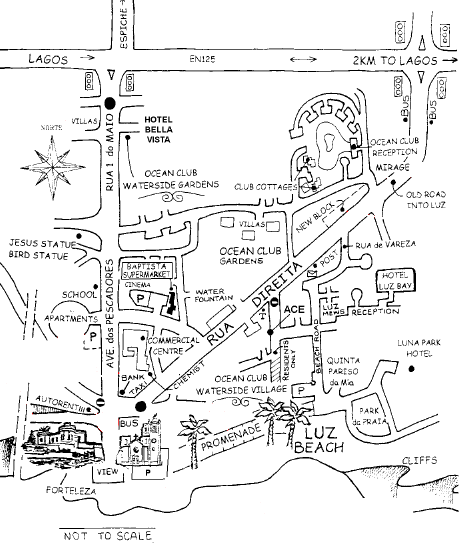
Luz FreeMaps

The Algarve

The Algarve

Praia da Luz / Lagos / Portimao

Luz, Lagos & Portimao Outline Map

Lagos (ten minutes from Praia da Luz (About € 9 by taxi))

Lagos Food Map

The Algarve

Algarve Map